
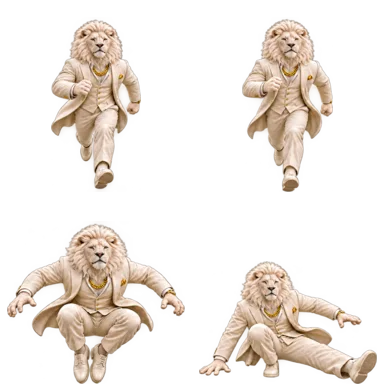

How to play the white lion runner
The white lion runs toward the mansion automatically. Your job is to read the three lanes and choose a clear path as coins and obstacles approach. The scene starts slowly enough to let you try the controls. As your run continues, the next set of obstacles arrives sooner. The game keeps going for as long as you can avoid collisions, so every run is a chance to beat your best score.
Look at the far end of the driveway before focusing on the lion. This gives you time to see which lane is clear and decide whether to move, jump, or slide. If a row has a coin in the middle and a crate on the left, staying in the middle can be the simplest way forward. A coin is optional. If picking it up would put you in the way of the next obstacle, keep the lane that gives you more time to react.
Choose the right move for each obstacle
- Switch lanes when the route ahead is blocked by a tall striped barricade. One press moves you one lane. To go from the left lane to the right lane, make two separate presses as you cross the center.
- Jump over the low wooden crates. Wait until a crate is close enough to clear during the jump. Jumping immediately when it appears can put you back on the ground before you reach it.
- Slide under the yellow beams. The beam leaves space below. Slide shortly before the lion reaches it, or change lanes if another lane is open. The lion must finish the current jump or slide before starting another one.
All three moves can be used in one run. Practice changing lanes first, then try clearing a crate without leaving your lane, and finally see how long you can stay low under a beam. The tall barricade always asks for a lane change. Watch what the next row is doing before you return to the middle.
Controls on phones and computers
On a phone, use the Left, Right, Jump, and Slide buttons directly beneath the game. Each tap is a single action. You can tap a lane button while the lion is in the air or sliding if you need to move out of the path of the next obstacle. Start with one thumb on either side of the controls, and watch the road while you tap.
On a computer, use the left and right arrows to switch lanes, up arrow or Space to jump, and down arrow to slide. The letter keys A, D, W, and S are also available. Start the game first so the keyboard controls are active inside the play area. If you click a link or tab away to read the guide, click inside the game or one of its controls to return focus to the runner.
Coins, snapshots and best scores
Your score rises as you stay on the driveway. Every coin adds ten points, which makes it possible to improve your score by choosing a better route even if two runs are roughly the same length. Coins only count when you reach them in their lane. A row may have more than one coin, so you can stay on the same line to collect both if the road is clear.
Watch for a little phone among the items. Crossing it in the same lane produces a brief camera flash and a Snapshot! message. The flash is an effect inside the game. Your score and coins are visible above the driveway, and the best score is saved in this browser when local storage is available. After a crash, press Play again to start a fresh run immediately.
How this web game relates to the Android app
This page is an independent, original white lion runner you can play in a browser. Its setting is a single driveway with repeating obstacle rows, short runs, and a local best score. Skorax publishes Sheru Bhai Life Simulator Game on Google Play. That app offers a 3D world with a mansion, vehicles, and an in-game phone. Its phone menu supports several activities, while the phone icon on this page is a collectible that triggers the snapshot effect.
If you came for the installable app and want to explore the island, follow the Android download guide. For a closer look at walking, driving, and the in-app phone, see the first-session walkthrough. For a short playable challenge in your browser, scroll back to the runner and start a run.